

What are tr, th & td in an HTML table?
This post will explain table tags and make you understand about their workflow.
You can create an HTML table using the <table> tag. But only this tag alone can not create a meaningful table. To create a meaningful table, you also need table rows, columns & a header (optional). <tr>, <th> & <td> represent table row, header & data (respectively). There is no <tc> or table column tag. I will discuss more on this later in this post.
Definition of the tags (tr, th & td)
<tr> stands for table row. As the name suggests, it represents the table row.
<th> stands for table header. It represents the headings and it’s the first row of the table. However, it’s optional. A table may or may not have headings.
<td> stands for table data. These are the actual data of any tables. However, it can not work alone. You need to wrap it within the table row (<tr>) as you see below.
<tr>
  <td>Apple</td>
  <td>Bicycle</td>
</tr>
Do you need web design help? Feel free to reach out.
I am a freelance web developer helping other developers, designers, and clients. If you need web design-related help, feel free to reach out to me. Always a reasonable price and easy to communicate with.
How do the table tags work?
To demonstrate the purpose, think of the following HTML markup that creates a table. And this table has 4 rows & 4 columns (including the header row).
<table>
  <tr>
    <th>Column 1</th>
    <th>Column 2</th>
    <th>Column 3</th>
    <th>Column 4</th>
  </tr>
  <tr>
    <td>Apple</td>
    <td>Bicycle</td>
    <td>Carrot</td>
    <td>Dog</td>
  </tr>
  <tr>
    <td>Elephant</td>
    <td>Fire</td>
    <td>Giraffe</td>
    <td>House</td>
  </tr>
  <tr>
    <td>Ice</td>
    <td>Jelly</td>
    <td>Kite</td>
    <td>Lemon</td>
  </tr>
</table>
See the output in the screenshot below.
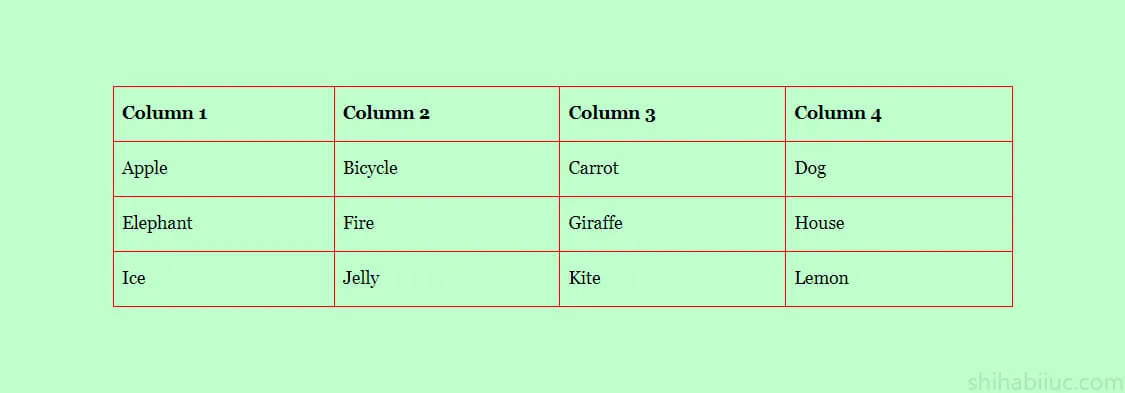
Now the question is how did the above HTML create this table? And how you can create a new table that meets your requirements. To answer these two questions, see the infographic below.
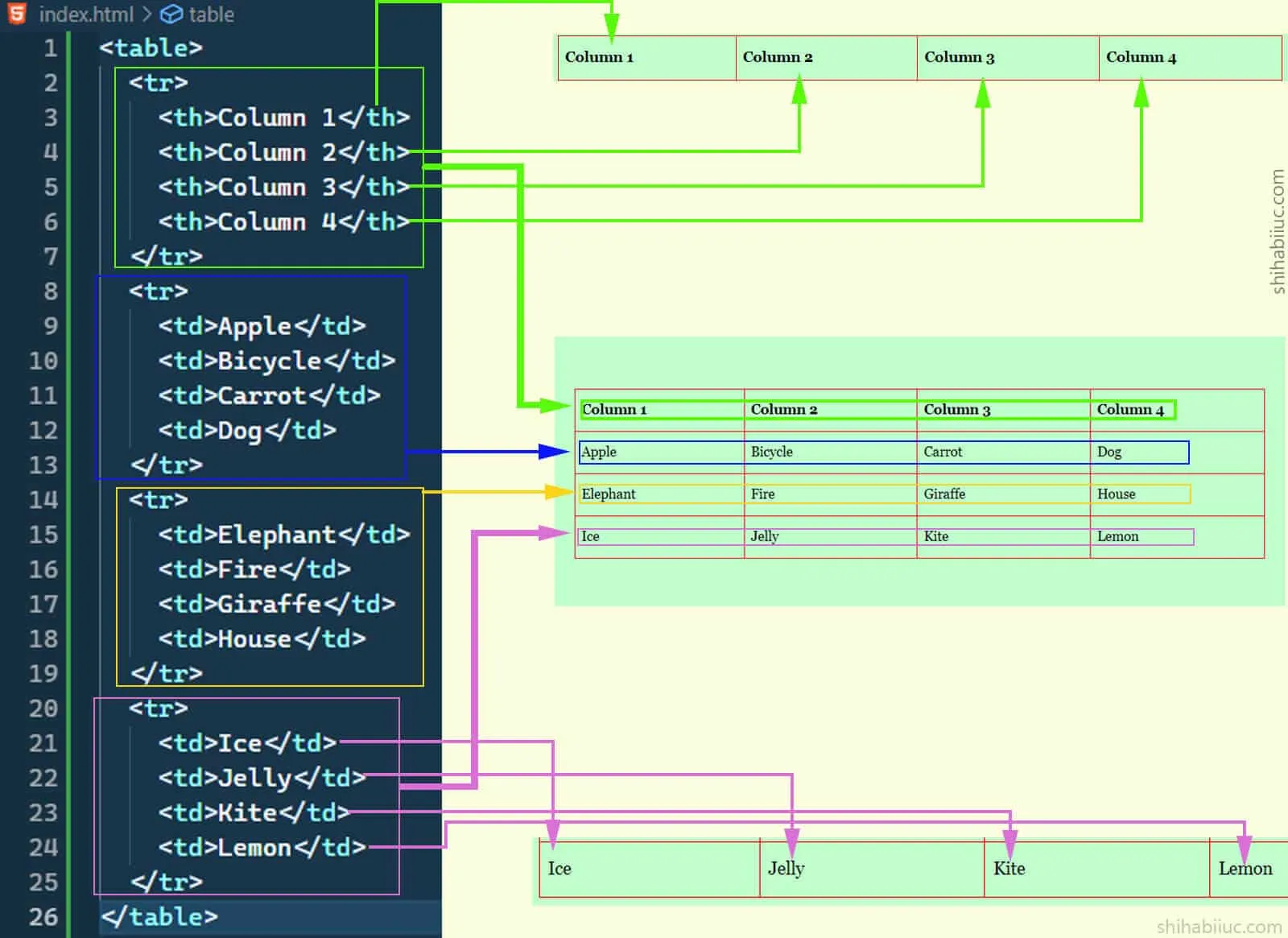
The above infographic is very important in this post. It shows how the table rows & columns are aligned, and how the <tr>, <th> & <td> work together.
A collection of td tags are horizontally aligned and those are not aligned vertically or column-wise. In a table, the tr (rows) tags are stacked one after another. The first tr tag (row) comes first, the second tr comes second, and so on and so forth. And the td and th are horizontally aligned within the tr tag.
Thus why the columns are created automatically. All first td tags (within tr) will fall under the first column and their serial will be based on their wrapping tr’s index. In the same vein, all second td will fall under the second column (based on their wrapping tr’s index). And so on and so forth.
Actually, these are aligned like the following - A table with 3 rows & columns (including a header).
tr1-th1 tr1-th2 tr1-th3
tr2-td1 tr2-td2 tr2-td3
tr3-td1 tr3-td2 tr3-td3
This is how all the table tags work together.